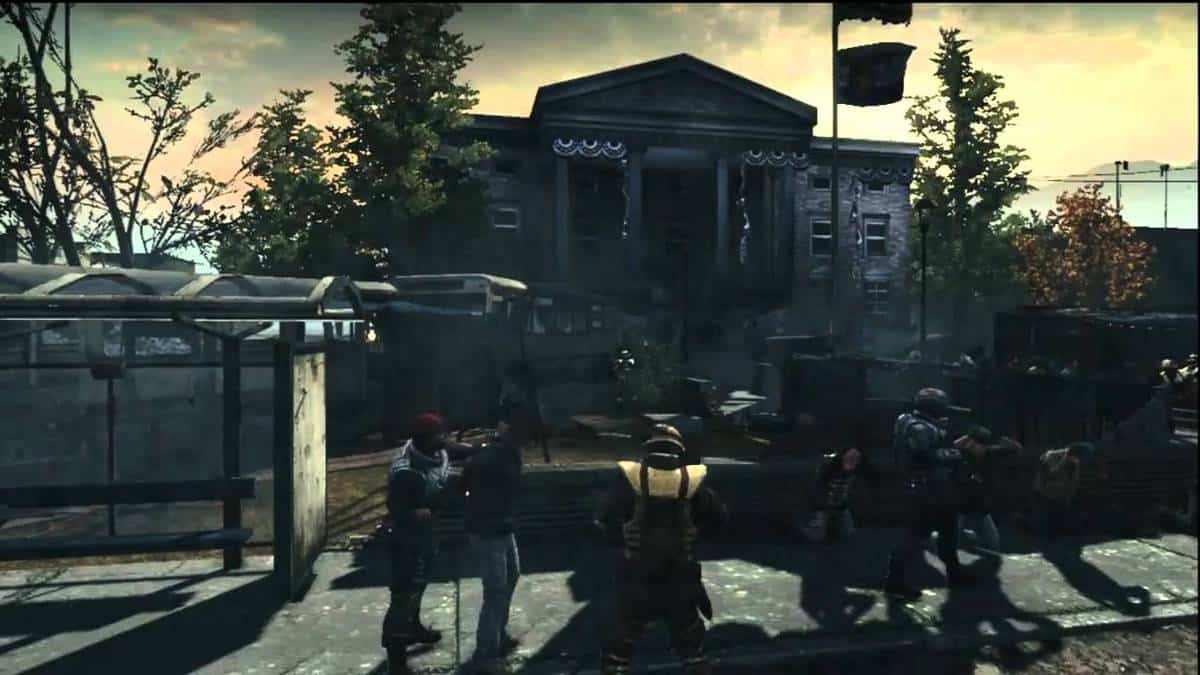
Homefront Crashes, Freezes, Performance Fix, FPS, Lag Fix, Errors, and Fixes

By  |  March 15, 2011  |  80 Comments

HomeFront
After receiving the mixed reviews so far, Homefront is still surviving on the brink of hope that they would be able to sustain a sizable fan base.


If the mixed reviews, and slightly outdated graphics compared to its competitors wasn’t enough, the game is plagued by performance issues on PC. If you come across any issue while playing Homefront, you can go through our guide to fix everything.

Homefront Errors, Crashes, Freezes, and Fixes

1# Pre-Order Shotgun Unlock Code Not Working
THQ have apologized for the issue and they claim it to fix it as soon as possible and then you can have your 870 Express Shotgun

2# Homefront No Sound – Fix
If you are not hearing any sound or you can only hear the cutscenes, try the following workarounds:

  1. Make sure that you have the latest drivers installed for your sound card.
  2. Remove My Docs\My Games\HOMEFRONT\GCGame\Config\GCEngine.ini in your documents and restart the game.
  3. Go to “C:\Program Files (x86)\Steam\steamapps\common\homefront\GCGame\Config” . Edit DefaultEngine.ini with notepad and search MaxChannels. Change the value from 128 to 64.
  4. Reinstalling Directx may fix the problem.
  5. Change audio from Surround (4.1, 5.1..etc) to simple 2.1. To change this head to control panel and then sound and audio settings.
  6. If nothing works then try removing the game completely and then re-download (From Steam) the game for a fresh install.

3# PhsyX Error – Not Installed Properly
If you have PhsyX already installed in your PC, remove it and then reinstall it to solve the problem.

4# Homefront Multiplayer – Dedicated Servers Dead/Not responding
It is most probably due to servers being overloaded. The issue has been taken into account and soon more servers will be available to solve the issue.

5# Default Resolution Won’t Change

  1. Try Changing the aspect ratio of your monitor.If you are using crossfire, disable it and then you will be able to change the resolution.
  2. Or you can change your config file manually to change the resolution. You can find it in My Documents/My Games/homefront folder and then system config file.

6# The Game won’t Load – An unexpected graphics error occurred. The application needs to exit
Find GCEngine.ini file in system settings and change AllowD3D10=True to False. Make sure that CompatLevelGPU is set to 1 not 0.

7# Homefront – Low Performance – FPS Fix
If you are among those facing low performance with the game even when meeting the recommended requirements. You can try following workarounds to boost the performance:

  • Head to C:\Users\admin\Documents\My Games\HOMEFRONT\GCGame\Config\CGEngine. Open the file and find AllowD3D10 command. Change value “True” to “False”.

8# Player keeps on moving
Just disconnect any joysticks attached to the computer to fix the problem.

9# Can’t Join Multiplayer
If you are not able to select any option in multiplayer and your game freezes, your firewall might be blocking the game.

10# “Failed to Run Install Script” Error
If you are facing this error during installation then try re-installing Microsoft visual C++ redistributable 2005. If it does not help then try running a windows update and that should resolve the issue.

11# Homefront Error (55)
If you encounter this error then delete all of your local content and do a fresh install.

12# Homefront Motion Blur Fix
If you are experiencing weird motion blur in the game, turn it off from the options menu.

13# Homefront – Game Crashes Everything I Join The Server

14# Homefront Lockups When Searching For Servers
Wait and it will be resolve as the game tries to download all the servers.

15# Homefront – Performance Fix – Lag Fix

  1. Right-click Homefront in your Steam Library
  2. Select Properties
  3. Ensure that you are in the General tab
  4. Click Set Launch Options
  5. Add -d3d9 and -onethread (So that it looks like this: -d3d9 -onethread). Note that -onethread disables cutscenes.
  6. Press OK and close Homefront’s Properties window.
  7. Start Homefront.

16# Homefront Stutters and FPS Fix – High End Rig
If you are on SLI or Crossfire, try running the game on Single GPU to resolve the low performance issues.

17# Homefront Mouse Controls – Fix

  1. Go to your \steam\steamapps\common\homefront\engine\config directory. Make a copy of all those files before you change anything just for backup purposes.
  2. Then open baseinput.ini – at the top of the file is a section called [Engine.PlayerInput]
  3. Under that section, you will see “bEnableMouseSmoothing=true”, change this to “bEnableMouseSmoothing=false”
  4. Then right under that, in the same section, add the line “bViewAccelerationEnabled=false”

After this your in-game mouse settings may reset, or you may have to adjust your sensitivity because non-accelerated sensitivity is different. But after that, you should notice the mouse control is much improved.

18# Poor Framerates in Multiplayer
If the above performance fix doesn’t work for you, try this:
Run the game in DirectX 9.

19# Where to Find Homefront Config File

C:\Users\\Documents\My Games\HOMEFRONT\GCGame\Config\GCEngine.ini

20# How to Force DirectX 9 in Homefront
Force dx9 with -d3d9 command line in steam launch option if you have bad performance. You also need to set AllowD3D10 to false in config.

21# Homefront – No Sound Fix
Go to windows control panel – sound – configure and set 2:1 stereo to avoid sound loss.

22# ATI Crossfire with Low FPS – Fix

  1. Navigate to C:\Program Files (x86)\Steam\steamapps\common\homefront\Binaries
  2. In there you will find the homefront.exe that runs the game. Rename this .exe to “UE3.EXE” and relaunch the game. Crossfire will be enabled.

23# Game Crashes to Desktop – Startup
Make sure you have updated your graphics card drivers, DirectX and PhysX. If it still doesn’t resolve the issue try running the game in DirectX 9.

Homefront – Low Performance – Low FPS – Lag – Fixes

  1. Always run installers and redist packages as Administrator, this will make sure all settings and files are correctly copied to your computer.
    Always do a clean install of new video drivers if needed.
  2. Run the game as administrator to ensure that it has admin rights to overwrite configs and game files in it’s directory.
  3. Turn off steam cloud for Homefront will prevent overwriting of your config.
  4. Try updating PhysX or disabling it if you have performance problems.
  5. Verify Game cache in steam and defrag game cache files before playing.
  6. Try playing in Windowed mode
  7. Try reducing draw distance.
  8. Turn off Vsync and frame smoothing in config. Vsync will typically drop your framerate to 30 if it goes under 60 at some point, which will seem really laggy. Solution is to either enable d3d triple buffering with d3doverrider or to use frame capping variables in the config .ini files. but best is to disable vsync and frame capping altogether.
  9. Disable mouse smoothing with benablemousesmoothing=False in
    C:\Users\Documents\My Games\HOMEFRONT\GCGame\Config\GCInput.ini
  10. Unplug saitek controllers or any USB controllers to avoid performance loss.

If you face any other issue, let us know and we will try to help you out.


Around The Web


Comments

  1. odie smiddy says:

    Kinda disappointed that this game is so badly plagued by issues like this I love the campain and the multiplayer however I used your Fps fix #7 works again great thx for the fix and keep it up

  2. ben says:

    the game crashes when i try to host a game, any fix for that?

  3. shark says:

    Now, thats what I call an awesome WAR FPS game. The action in homefront is incredible and i was suprised that the game wasn’t that demanding at all. Graphics are amazing but still the shadows could be better, even in Very High, shadows aren’t that great but graphics isn’t everything..
    Aim is really smooth.

    I’m playing this game on a gaming laptop at highest resolution (1280×720) maxed out (Very High, all option enabled and AAx4) always getting above 30FPS, only in some action scenes im getting 25 or bit less, but normal always 35FPS. But ye, i’m running at Dx9 (thanks for the guide, really helped me to run with Dx9)
    Dx10 i’m getting 5FPS less and graphics are the same, really supid tho.

    I still don’t know if Dx11 is suported but my GPU doesn’t support Dx11 anyway :D

  4. Frustrated says:

    I am having no problems in single player mode. Multiplayer mode is is locking up at load screen. I can get in sometimes, no problems and game runs smooth. At load screen will lock up and/or give me a graphics error. I have reloaded the game, updated drivers, and downloaded the new AMD Catalyst….still having issues. I have more than enough computer to run this game. 2.8 quad and crossfired Radeon 4870′s

  5. Geron says:

    i have Homefront on PS3 and i’ve been playing it till chapter 6 after that i decided to not play and quit the game turn off my ps3.and now i want to play it again i go into resume chapter etc and the game just freezes and cannot go back to the ps home menu or anything unless i eject the disc.even when i start a new career it freezes but sound still plays.every thing is ok but cannot get into career help

    • Since its Playstation 3, there is hardly anything I can suggest. You can try installing the game on your hard driver and running from there ? may be the disk is corrupted.

  6. TonyMont [>>] says:

    I am having some sort of problem with playing online. (PC version)
    When i join a server, run arround for a bit, i bump into players that seems to be lagged out (everybody), they do run slowly to a wall or something.
    So I guess i am the problem, i can put a full clip in those people but they wont die, shit loads of blood on the wall tho.
    Its weird, i can just run in the whole map, getting information that we are winning etc, but all players are frozen.

  7. Aise says:

    I have the same issue as TonyMont,

    everybody seems to lag out.

    SP is fine

  8. Assa says:

    I have this problem: An unexpected graphics error occurred. The application needs to exit. i changed AllowD3D10=True to False but it is don’t working in my computer. Please help me?

  9. Lund says:

    I have huge probs connesting to servers and i do belive its because of the internet.

    So what ports should be open on the router ?

  10. murat says:

    arkadaşlar ben homefron oyununu bir siteden kurulu baziyette indirdim ayum sıngle playır a kadar gayet iyi ama bir türlü menüdeki hiç bir şey çalışmıyor sınglea pılayır e basıyorum oyun bir türlü açılmıyor acil yardım.

  11. John says:

    In single player mode every thing runs good but i have no voices from characters in game. I have sounds but no voices any help would be great
    Vista SP2. Video card 5850 1GHZ of mem. C2D@ 3.2GHZ 4GHZ of system memory
    Thank you

  12. cornish says:

    i have quad core i5
    4gb ram
    hd 5870
    windows 7 64bit

    my problem is that i can find multiplayer games and connect but with in a fue mins it crashs my whole pc it wacks my fan on full blast, i have to turn off my pc to get it running again! ive never had such a problem ever and really want this game to work as it looks better than black ops witch i thought i would never say as im a huge fan of the COD series! but this if its pacthed or fixed in some way will surpass it. please help me with my problem as it nearly cost me my pc today in bad temper lol..

  13. aritra roy says:

    in the single player campaign…….there is a weird shadow casted and all things within acertain range are blacked out…….any ideas.??…thnks…
    i hv….coer2duo 3.0ghz,ati radeon 6870hd, 2gigs of ram….250gb hdd…
    i want 2 play dis game bad…..any help?
    and one more thing….this problem occurs even if i set all graphics quality to very low…
    i know that i meet the min specs to run the game….

  14. Abys-Maul says:

    OK I am having problem 13, it was working faily ok yesterday now it’s fubar! More importantly, why the hell should we have to lower our PC’s to DX9 to get this running? Is this another case of developers making a game for console NOOBS and porting it over? Takes the piss, make it for the superior platform (PC) then lower it for consoles! Surely thats got to be easier?

  15. Gurkan says:

    Someone knows what the problem is with my game everything is just fine untill you go to the school bus and when u got hit by the truck then everything freeze nothing happens you see only the humans breath and nothing else happen.

  16. Anon says:

    One fix i discovered works for many UE3 games, including especially for Homefront it does wonders above any other fixes mentioned above (for stuttering or hardware lag / loading issues that is):

    Find the GCEngine.ini and find “OneFrameThreadLag=” line, now for some people this defaults to True, some False. If you have stuttering/lag/constant loading during level issues like I did, change this from whatever its set to, to the opposite setting. Now the game runs smooth for me on Very High settings and Vsync on (Smooth Frame i have Off). There is no loading lags, no tearing, super smooth frames and gameplay! simply awesome! Also, cutscenes/videos still work, unlike with the “-onethread” commandline variant.

    • Gabo says:

      It Works man, it works :-) . I have fixed the problem with the bus using your informations. I have edit the file GCEngine.ini. Now I can leave the bus, Thanks.

  17. Homicidal Smurf says:

    On the 10 fix where i do a windows update i do that but still dosent work any help?

  18. Rockopoppa says:

    I have Homefront fot the Xbox 360 and it always freezes up after the Kaos logo when the game is starting up. How doI fix this?

  19. Topcat{Sk} says:

    9# for me… When ever i even try to refresh the severlist it freezes.. I click on quick game. . It freezes.. I click create a game…you get the point, its not my firewall messing it up so i really need to know WTF to do beacuse i feel like iv wasted £35 on a game that i basicly cant have fun on. Please help:-(

  20. Hunter says:

    Hi!
    I have this problem: An unexpected graphics error occurred. The application needs to exit.

    Details:
    Direct3DDevice->CreatePixelShader((DWORD*)&Code(0),(IDirect3DPixelShader9**)PixelShader.
    GetInitReference())failed
    at C:\HF_PC_STABLE\DEVELOPMNET\SRC\D3D9DRV\SRC\DED9SHADERS.CCP:18
    with error E_OUTOFMEMORY

    Can somebody help me?

  21. kassem says:

    i have this problem where the school bus hit me but freez.. :( only the game but nothing else happens:i can exit the game normally… sadly the disk is broken :( is there solutions other than reinstalling the game???

  22. shanrisy says:

    hey dude… just check ur settings.. change the settings… if low so make it high , if high so low… and change resolution also

  23. YigitH says:

    i cant hear anything in game. game first videos have sound but game is begin i cant hear any sound. i use everything but i cant made it. i need really help.

  24. medorock2010 says:

    i have update my Nvidia card and downloaded last directx, C++ and Phyxs and still crash when the movie begin when hillary talk it crash to desktop without any reason, also i tried to re-install and put the crack well but nothing change.
    my card Nvidia 9500GT

    what can i do ????

  25. emily says:

    i just got the games yesterday on pc it worked till when the truck hit the school bus i can look around but thats it pls can someone help me!!!

  26. medorock2010 says:

    i have update my Nvidia card and downloaded last directx, C++ and Phyxs and still crash when the movie begin when hillary talk it crash to desktop without any reason, also i tried to re-install and put the crack well but nothing change.
    my card Nvidia 9500GT

    what can i do ????
    what can i do ????
    what can i do ????
    what can i do ????
    what can i do ????

  27. Roger Matthews says:

    Bump……..

    :D

  28. Ricardo Duarte says:

    When trying to install the Homefront error appears stating that I do not have enough disk space to run this game. But I have plenty of room for it.

    Can you help?

    Thank you.

  29. Alwyn says:

    Homefront seems awesome but I can only get just past blowing up the LAV in the first level then Freeze. Have tried messing around with all settings in-game but to no avail. have searched for both .ini files and neither exist for me.

    Any help appreciated Cheers

  30. john says:

    hi i have the pc version of home front and i have xbox360 controller on it can you tell me how to turn up the sensitivity up on the right stick of the controller as it moves real slow. iv turned it up to max in the menu but still way to slow.

    please could you help

    thanks

  31. Babu says:

    Hi:

    I got homefront installed for from TPB. As some of us here, I have the same bus crash freeze problem. The game wont go any further, and you can just look around. I can exit the game however and switch on to other mode like multiplayer securing the posts and like that. Has anyone found a solution for this yet? If so, kindly post the same. A good number of us would be benefited; at least to check how the game is.

  32. Babu says:

    I have a game halting problem at level 4 hot rain and gets stuck on the tower. Neither can I get out, not the female Rianna joins the group. On the tasks, where it was showing follow Rianna disappears and the game comes to a halt. Any fixes for this, kindly post.

  33. Rafe 7 says:

    PC: With mahing gun or burst fire trigger sticks until mag is empty. Death Adder Mouse, Steel mouse, and all other mice–same problem. Only happens in HOMEFRONT. Solution please.

  34. Rafe 7 says:

    Oops…! Machine gun not mahing.

  35. vibrantthd says:

    Hey,

    I downloaded the demo for this game off steam and why I try to play it the game loads and says Homefront is not responding an it has a white box over it… Help Me!

    -Vibrantt

  36. a says:

    im getting ‘cannot find default engine .ini error’????can anybody help mee….i tried everything

  37. Vipul says:

    I can’t change my advanced display settings, they are just disabled. And when I change volume settings, click apply, It reverts back to default again.
    Any ideas

  38. Jacob says:

    the graphics are too demanded just like saint row 2…i only played homefront bout 8-10 fps…my laptop speed only 2.0 ghz,1.5 gb 2400xt,3gb ram..

  39. akash says:

    i ve problem with it
    when i start the game
    and at same time when i go near to the get to answer it
    and dont send screen appears
    what to do to fix this error

  40. razkal234 says:

    i have a problem firstly theres no GCengine.ini file in my config folder and when i start the game a small black square comes on the top left corner and sometimes it gets till the menu where it says physx and then gives me the graphical error and somtimes it just stops responding HELP ME! I REALLY WANNA PLAY THIS, i know its not my graphic card because i checked youtube and the guy was playing with the same graphic card i have

  41. Aditya says:

    I cannot load level 4 in this game.When i load a black screen appears.
    So please help me with this thing.

  42. ameya says:

    i have a problem,when i launch the game,the game starts perfectly till main menu but at the main menu i cannot click on single player,multi player,options,achievements but i can click on credits……..pls help as i cannot start the game

  43. lol says:

    i have a problem that is not in the list.
    When i join a server everything seems to be in order but after half a minute players something really weird happens.
    All the players keep moving, shooting or whatever they were doing at that moment and im unable to throw grenades or use my drones.
    Also i can’t kill the other player while this is happening, so i think i just get disconnected or something like that.

    Anyone can help me with this??

Leave a Reply

Your email address will not be published. Required fields are marked *

*

You may use these HTML tags and attributes: <a href="" title=""> <abbr title=""> <acronym title=""> <b> <blockquote cite=""> <cite> <code> <del datetime=""> <em> <i> <q cite=""> <strike> <strong>